
How to Add Trending Products to Your Doblly Store
Discover trending products and easily add them to your online store directly from Doblly.
Step 1 – Access Trending Products
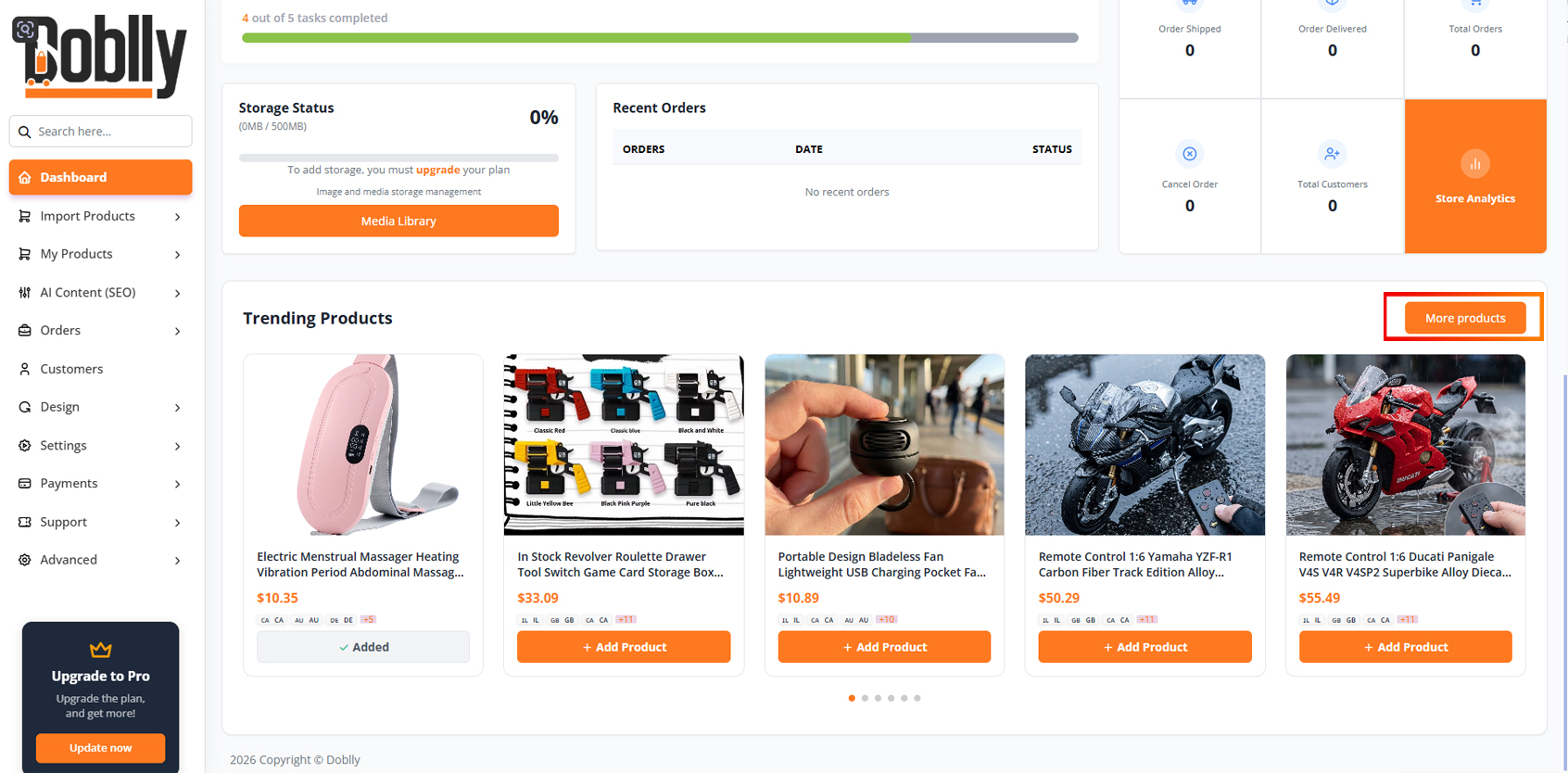
Log in to your Doblly Dashboard.
Scroll down to find the Trending Products section.
New trending products are regularly updated and displayed in this section.
To explore all available products, click More Products.
Step 2 – Explore and Filter Products
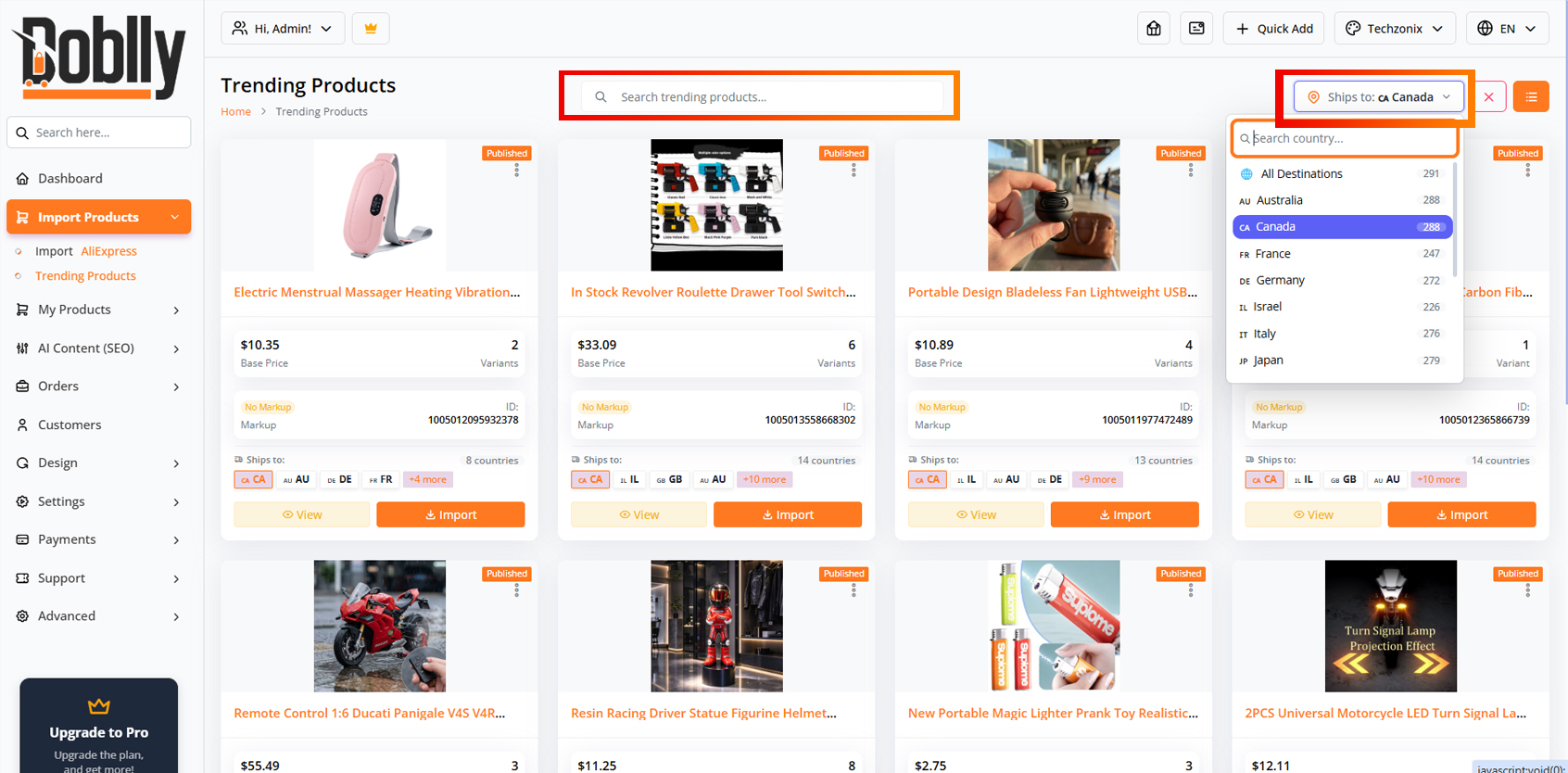
Here you can browse all available products, search for specific items, and easily add products to your store.
Doblly also offers a country filter:
Select the country you operate in.
The system will automatically filter the products and display only those approved for shipping to your selected country.
This makes it easier to find products that you can actually sell and ship to your customers.
Step 3 – Import a Product into Your Store
Choose the product you want to add to your store.
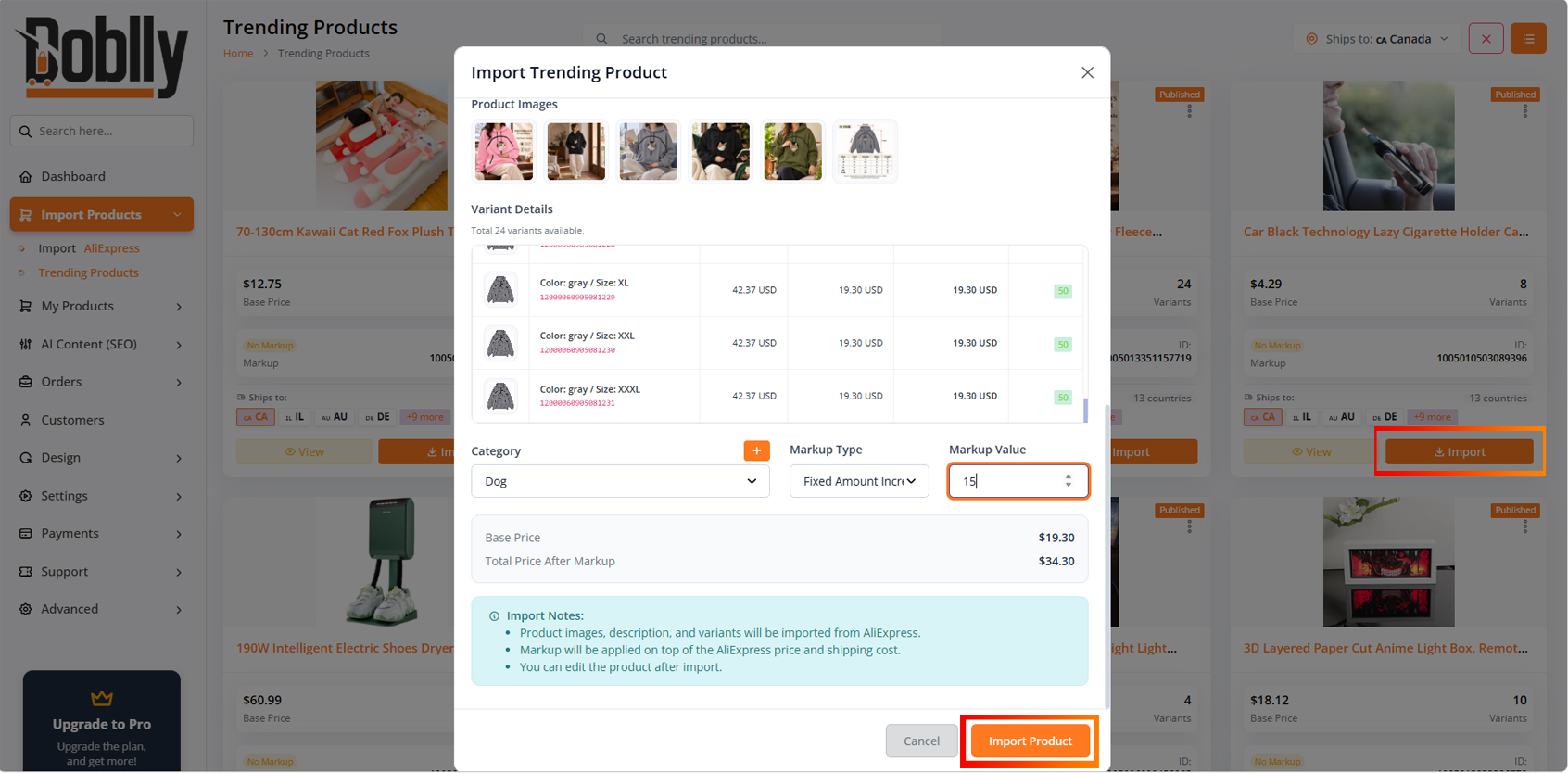
Click Import.
Select the Category where you want the product to appear in your store. If the category doesn't exist, click the small + button to create a new category.
Choose your Markup Type:
Percentage: Add a percentage markup to the product price.
Fixed Amount: Add a fixed amount to the product price.
Click Import Product.
That's it! The product will be imported directly into your Doblly store and will be ready for you to manage.
Discover trending products, find new opportunities, and grow your store with Doblly!