
How to Import Products from AliExpress to Doblly
How to Import Products from AliExpress to Doblly
Step 1 – Choose a Product on AliExpress
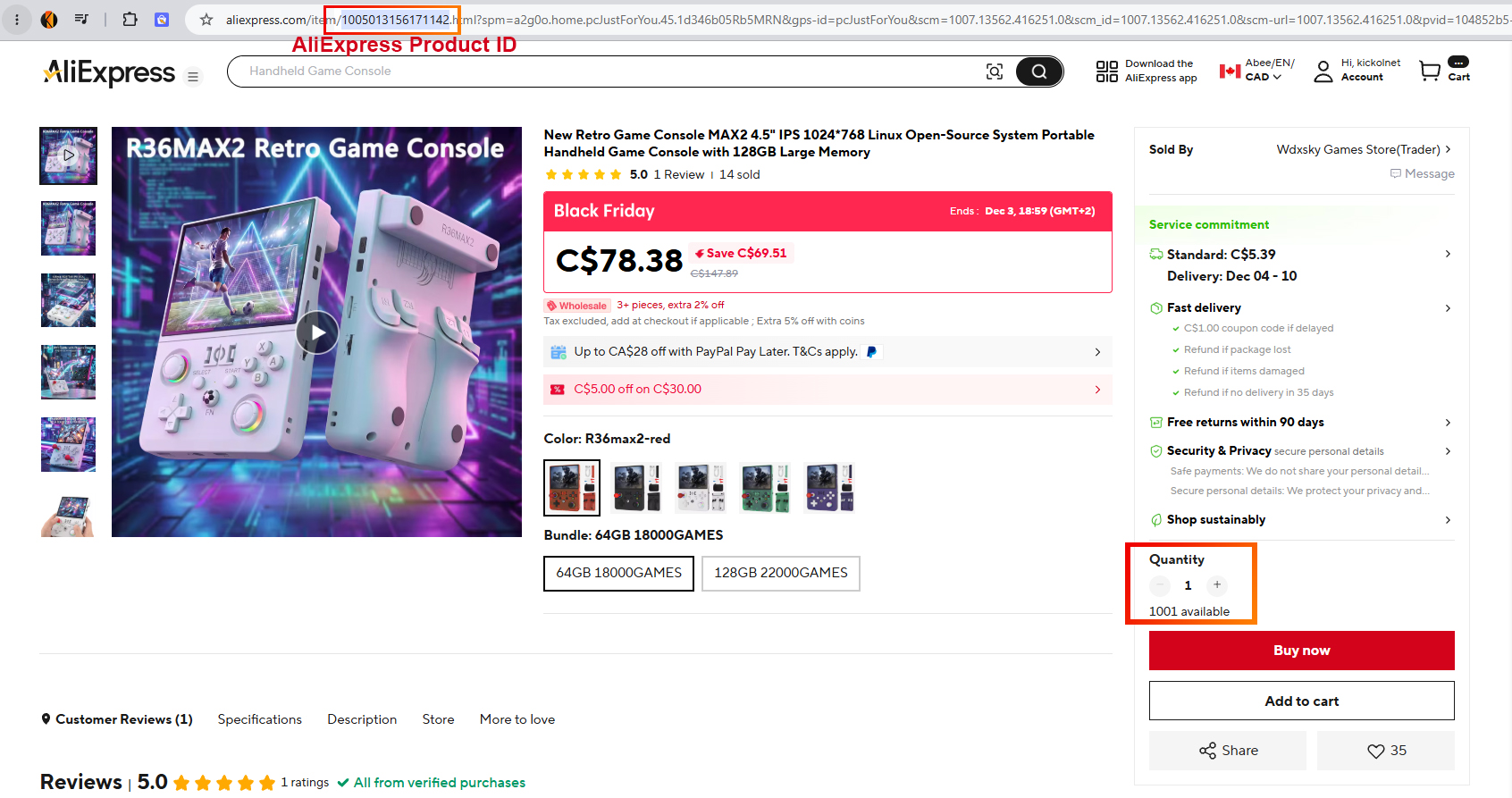
Find a product on AliExpress that you would like to sell in your store.
Make sure the product meets the following requirements:
The seller must offer shipping to the country you selected during your Doblly registration.
The product must not have any purchase quantity restrictions.
Copy the Product ID from the product URL on AliExpress.
Step 2 – Import the Product into Doblly
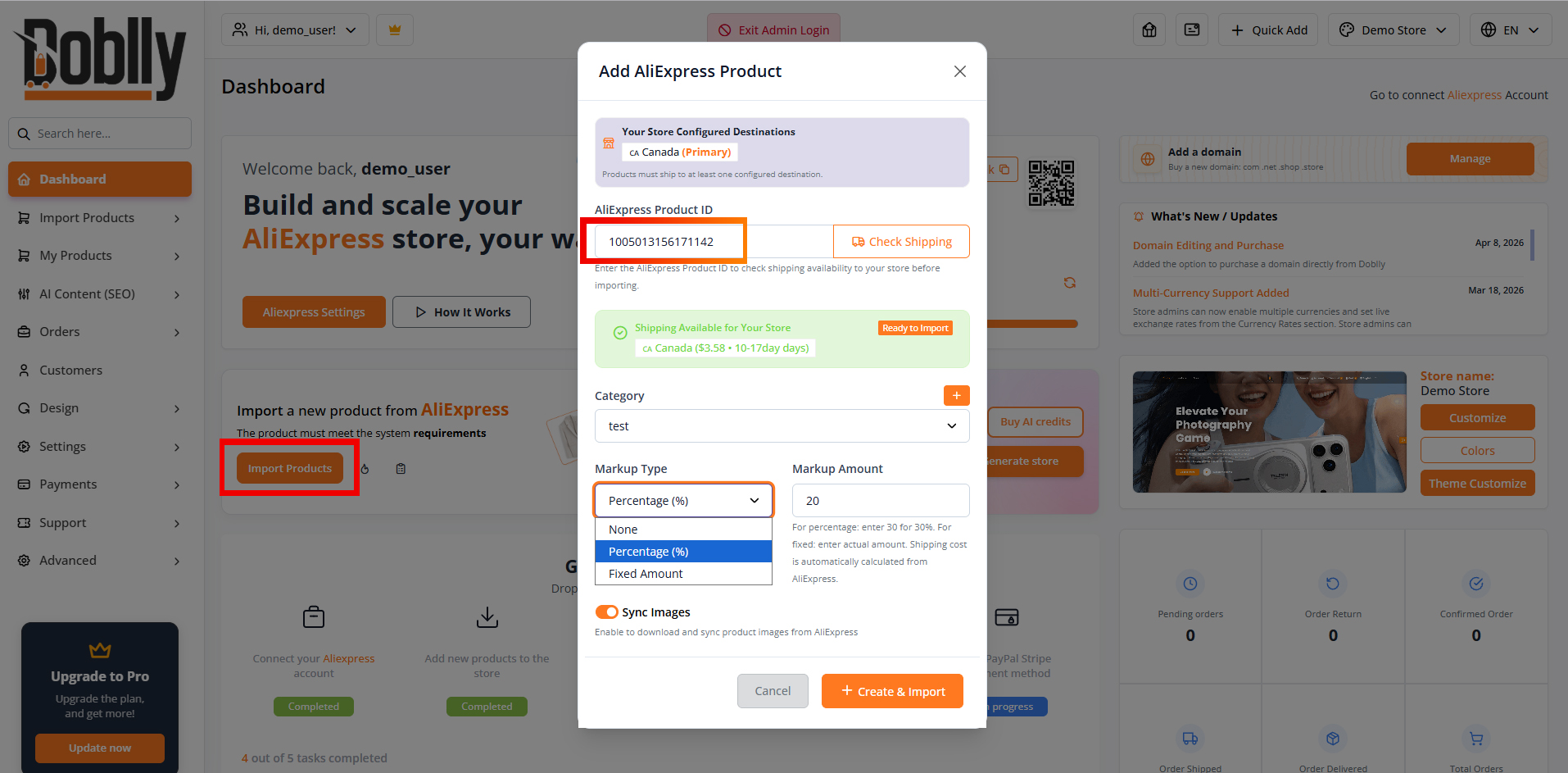
Log in to your Doblly Dashboard.
Click on Import Products.
Paste the copied Product ID into the designated field.
Doblly will automatically check whether the seller can ship the product to your selected country.
Select the Category where you want the product to appear in your store. If the category doesn't exist, click the small + button to create a new one.
Choose your Markup Type:
Percentage: Add a percentage markup to the product price.
Fixed Amount: Add a fixed amount to the product price.
Click Create & Import and the product will be imported directly into your Doblly store.
That's it! Your product is now imported and ready to be managed in your Doblly store.