
How to Create AI Articles for Your Products in Doblly
Create SEO-friendly articles and promotional content for your products using Artificial Intelligence directly from your Doblly Dashboard.
Step 1 – Access the AI Article Generator
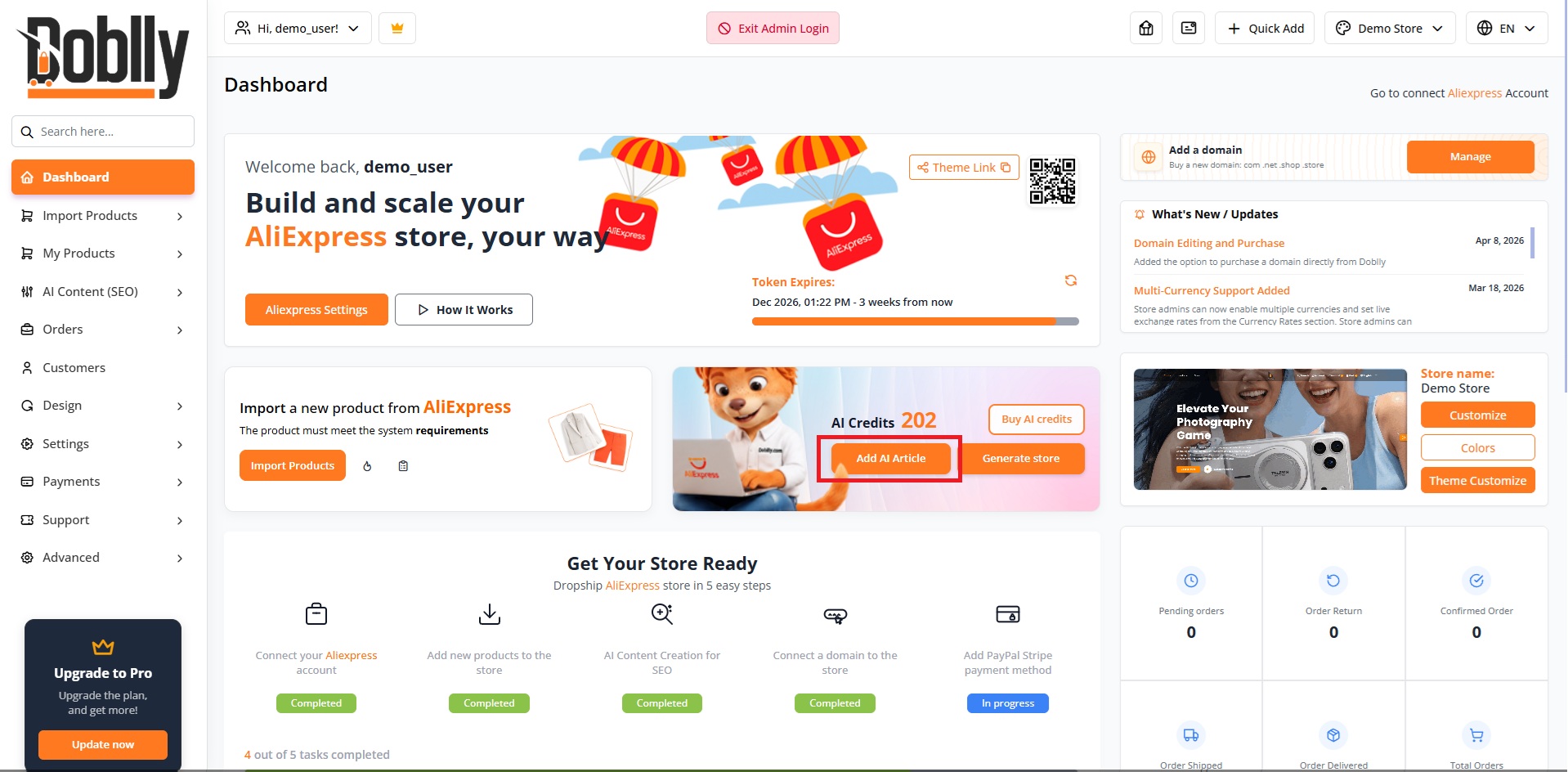
Log in to your Doblly Dashboard.
Click Add AI Article.
Step 2 – Configure Your Article
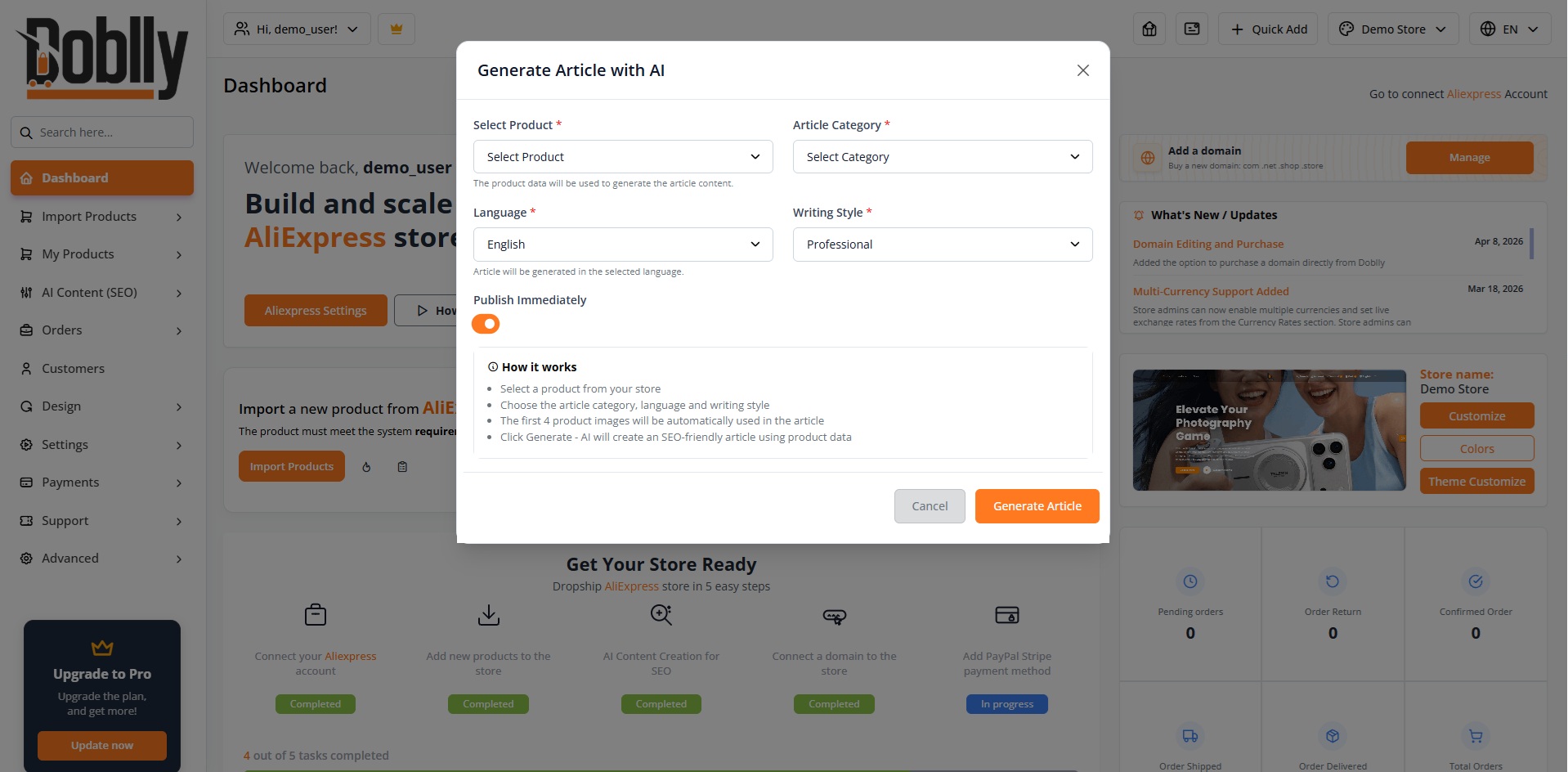
Before generating your article, customize the following settings:
Select a Product: Choose a product from your store that you want to promote.
Select a Category: Choose the category for your article.
Select a Language: Choose the language in which you want the article to be written.
Select a Writing Style: Choose the writing style that best suits your content and target audience.
Publish Immediately: Check this option if you want the article to be published automatically as soon as it is generated.
Once all settings are configured, click Generate Article.
That's It!
Using this option will cost you 1 AI credit point.
Doblly AI will automatically generate an article designed to promote your product and support your store's SEO strategy.
Our Recommendation: We recommend creating an AI article for every new product you add to your store. Regularly publishing relevant content can help improve your store's search engine visibility and attract more potential customers.