
How to Edit Your Store Using AI in Doblly
Transform your store's homepage in seconds using Artificial Intelligence. Generate professional text, images, and videos to create an engaging homepage that showcases your products and brand.
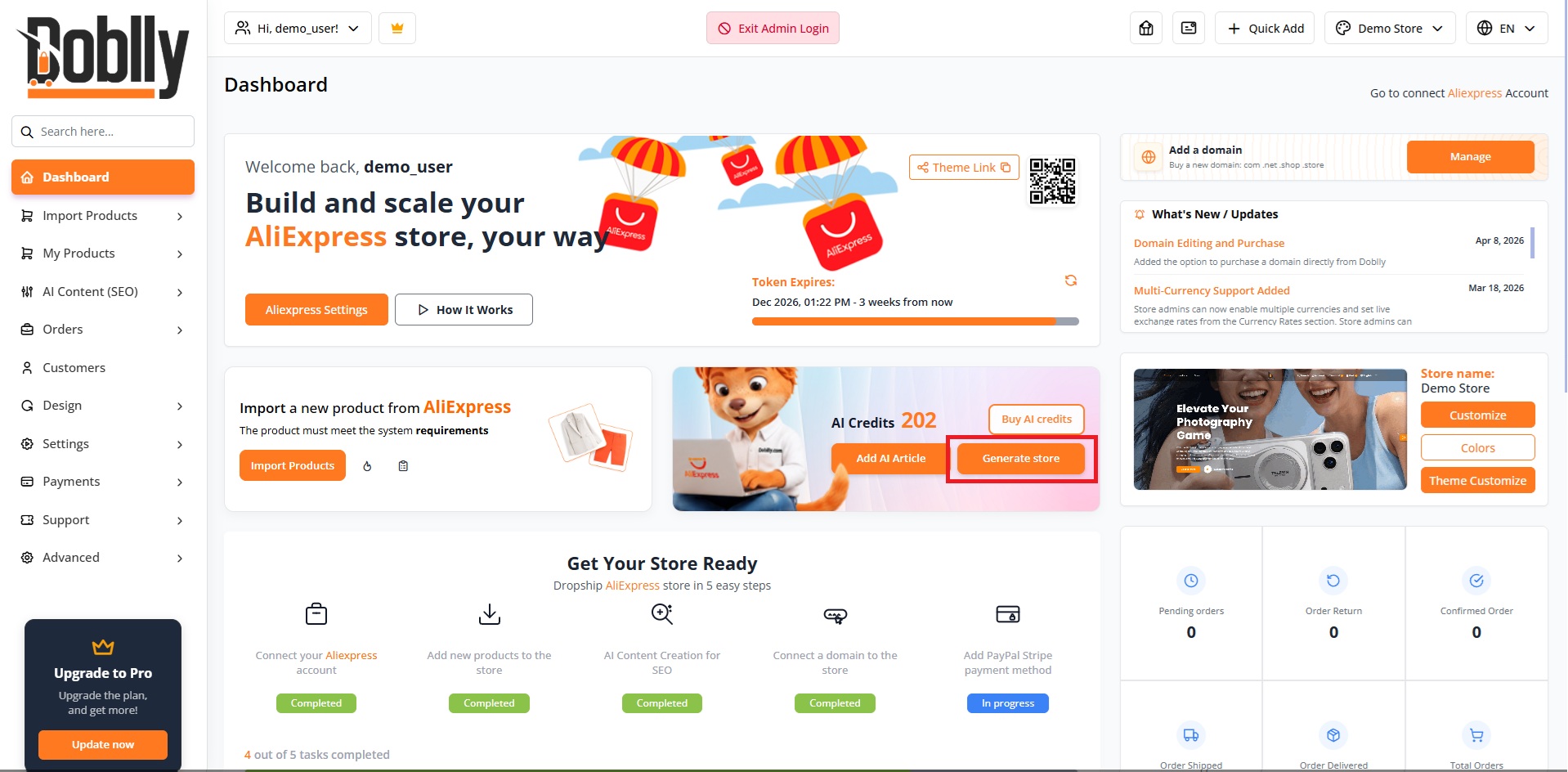
Step 1 – Access the AI Store Generator
Log in to your Doblly Dashboard.
Click Generate Store.
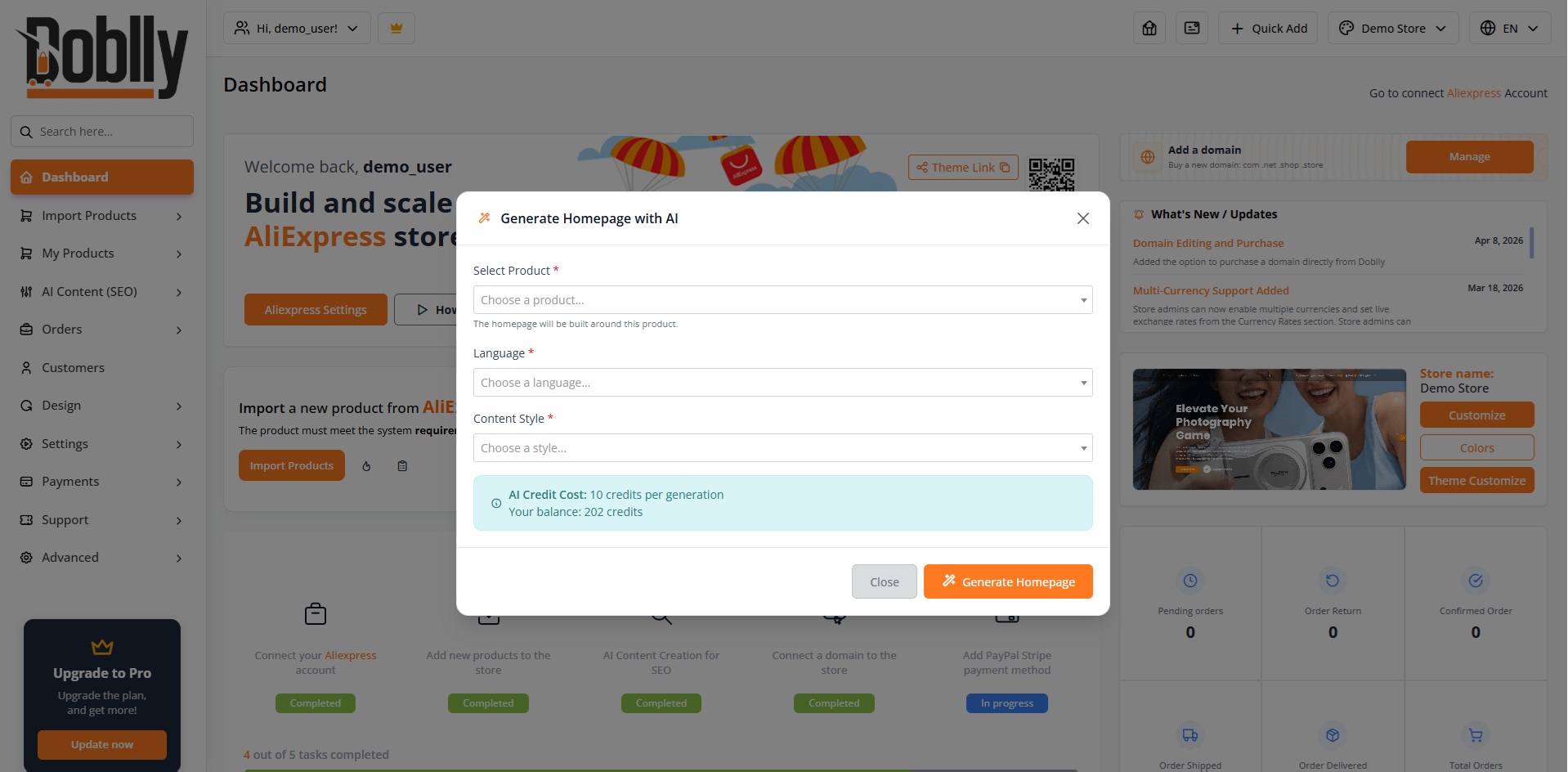
Step 2 – Generate Your Homepage
Configure the following settings:
Select a Product: Choose one of the existing products in your store.
Select a Language: Choose the language for your homepage content.
Select a Writing Style: Choose the writing style that best matches your brand and target audience.
Once you've configured your settings, click Generate Homepage.
Your Homepage Is Ready!
Doblly AI will automatically generate a new homepage, including text, images, and videos based on your selected product and preferences.
Once the generation is complete, you can edit and customize any element of your homepage to match your needs.
AI Credit Cost: 10 Credits
Each homepage generation costs 10 AI Credits.
Tip: Use the AI Store Generator to quickly create a professional-looking homepage and then customize the content to match your brand identity.